
Why Browser-Based Tools Are Better for Privacy
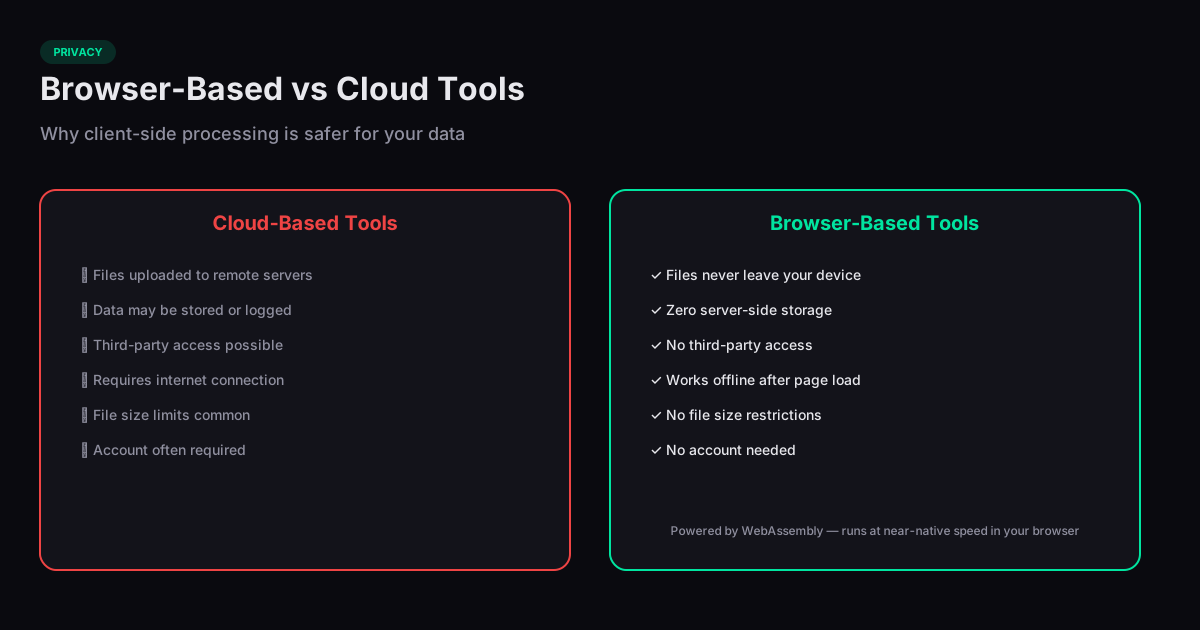
Browser based tools privacy matters more than most people realize. Every time you upload a file to an online tool — a PDF compressor, an image converter, a code formatter — that file travels to a remote server where it can be logged, stored, analyzed, or breached. Browser-based tools that process files locally eliminate this risk entirely.
How Server-Based Tools Handle Your Files
Traditional online tools work by uploading your file to a server, processing it, and sending the result back. During this round trip, your file exists on someone else's infrastructure. Even if the service promises to delete files after processing, you have no way to verify that claim. Server logs, temporary storage, backup systems, and CDN caches may all retain copies.
For public documents this is fine. But for tax returns, medical records, contracts, personal photos, or proprietary code, the risk is real. A single data breach at a file processing service could expose millions of user documents.
How Client-Side Processing Works
Browser-based tools use JavaScript and WebAssembly to process files directly in your browser tab. When you select a file, it is read into your browser's local memory. The processing logic — compression, conversion, formatting — runs on your CPU. The result is generated locally and downloaded from your browser. At no point does your file leave your device.
This architecture is verifiable. You can open your browser's developer tools, switch to the Network tab, and confirm that no file data is sent to any server. With server-based tools, you have to take the company's word for it.
WebAssembly: Native Performance in the Browser
WebAssembly (WASM) is the technology that makes complex client-side processing feasible. It allows compiled C, C++, and Rust code to run in the browser at near-native speed. PDF manipulation, image compression, and video conversion — tasks that used to require server-side processing — now run efficiently in a browser tab thanks to WebAssembly.
This means browser-based tools are no longer slower or less capable than their server-based counterparts. For many tasks, the processing speed is comparable, with the added benefit that there is no upload or download latency.
How to Verify Privacy Claims
Any tool can claim to be "private" or "secure." To verify, open your browser's developer tools (F12), go to the Network tab, and use the tool. If it genuinely processes files locally, you will see no large outbound requests. If you see your file being uploaded to an API endpoint, the tool is server-based regardless of its marketing claims. This takes 30 seconds and gives you certainty instead of trust.
Related Tools
Compress PDF
Reduce PDF file size without losing quality, right in your browser.
Compress Image
Reduce image file size while preserving quality — no uploads, browser only.
Password Generator
Generate strong, random passwords with customizable length and character sets.
Hash Generator
Generate SHA-1, SHA-256, SHA-384, and SHA-512 hashes from any text — entirely in your browser.