
CSV vs JSON: Choosing the Right Data Format
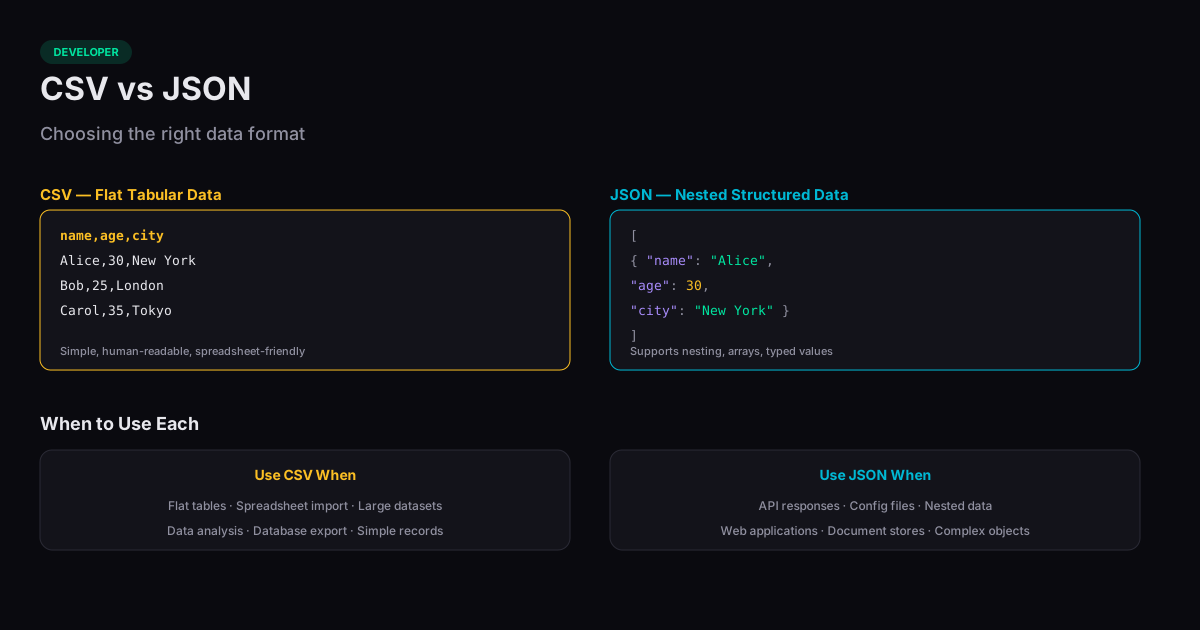
The choice between CSV vs JSON depends on your data structure, your tooling, and your audience. CSV excels at flat, tabular data — rows and columns with consistent fields. JSON handles hierarchical and nested structures that would be awkward or impossible to represent in a table. Understanding the strengths and limits of each format helps you pick the right one for your use case.
When CSV Is the Right Choice
CSV (Comma-Separated Values) is ideal when your data is naturally tabular: every record has the same fields, values are simple (strings, numbers, dates), and there is no nesting. Spreadsheet applications, database import tools, and data analysis libraries all handle CSV natively. CSV files are also human-readable in a basic text editor.
CSV shines for large datasets because it has minimal overhead. Each record is one line, and fields are separated by commas. There are no curly braces, colons, or quotation marks on keys — just values. A million-row CSV file will be significantly smaller than the equivalent JSON file because there is no repeated key names on every record.
When JSON Is the Right Choice
JSON (JavaScript Object Notation) is the standard for web APIs, configuration files, and any data with hierarchical structure. A user profile with nested addresses, multiple phone numbers, and varying fields per record maps naturally to JSON but requires awkward workarounds in CSV (multiple address columns, or a separate CSV for each nested entity).
JSON is also self-describing — the keys tell you what each value means. In a CSV file, you need the header row or external documentation to understand column meanings. JSON objects carry this context inherently, making the format more portable and less ambiguous.
Data Type Handling
CSV treats everything as strings. The value "42" could be a number, a ZIP code, or a string ID — the format does not distinguish. Programs that read CSV must infer or be told the data types, which can lead to errors (like Excel converting gene names to dates, a well-documented problem in bioinformatics).
JSON explicitly supports strings, numbers, booleans, null, arrays, and objects. This type information travels with the data, reducing ambiguity. The number 42, the string "42", and the boolean true are all distinct in JSON.
Converting Between Formats
Converting from CSV to JSON is straightforward: each row becomes an object, and each column header becomes a key. The reverse — JSON to CSV — only works cleanly when the JSON structure is flat. Nested objects must be flattened (using dot notation like "address.city") or serialized as strings within CSV cells, both of which lose the structural clarity of the original JSON.
For one-off conversions, a browser-based converter handles the job instantly. For recurring data pipelines, define the conversion rules explicitly so nested structures are handled consistently and type information is preserved where possible.
Related Tools
JSON to CSV
Convert JSON to CSV online free. Paste or upload JSON arrays and download CSV files instantly.
CSV to JSON
Convert CSV data to JSON arrays instantly in your browser.
JSON Formatter
Format, validate, and minify JSON data in your browser. Supports syntax highlighting.
XML to JSON
Convert XML documents to JSON format in your browser — no server needed.